Navigating RightStockAI
RightStockAI is organized around a few everyday jobs: checking the market, researching a stock, tracking a portfolio, building a watchlist, and learning how to use the tools.
Desktop Layout
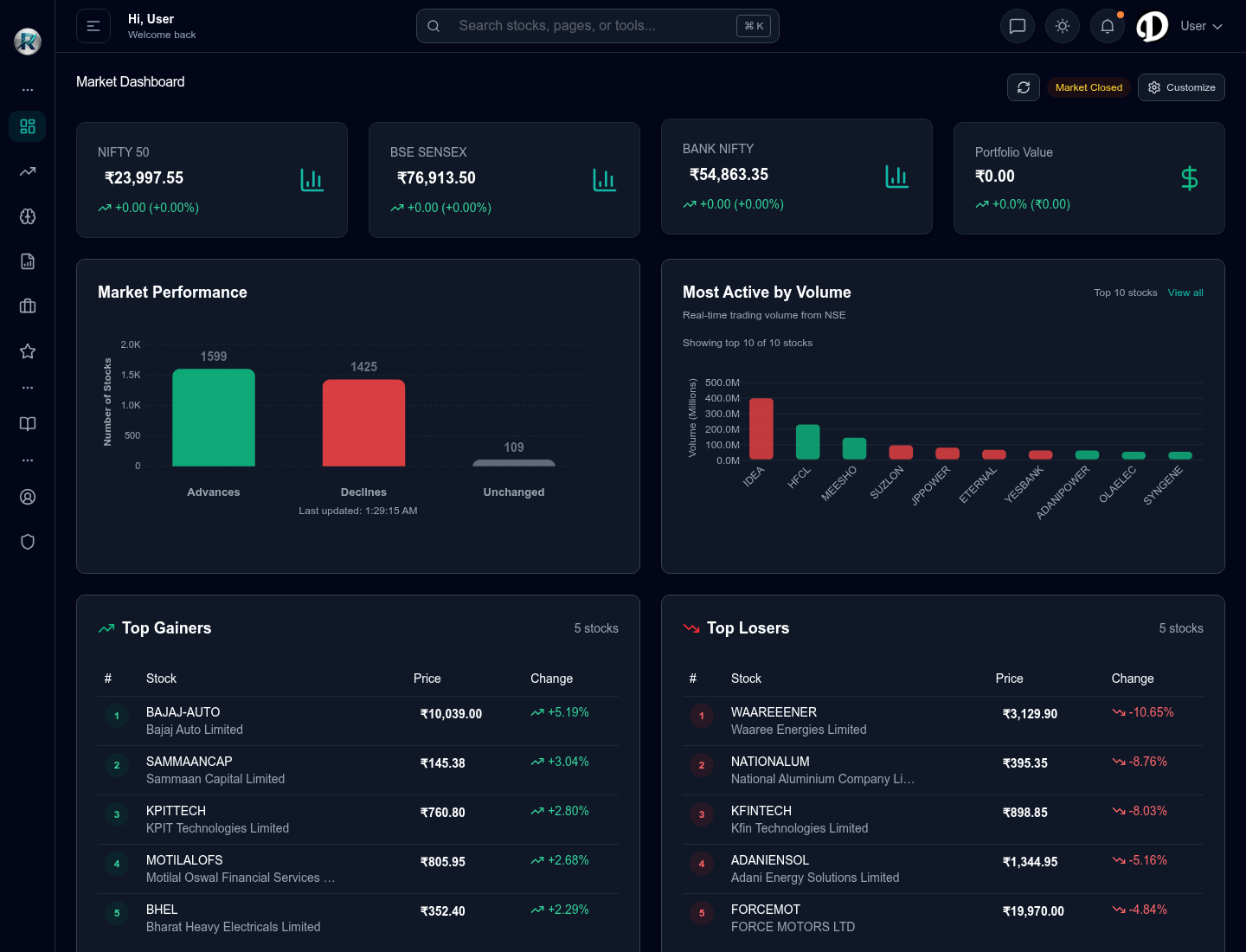 Desktop view with market dashboard, search, side navigation, and market widgets.
On desktop, most navigation happens from three places:
- Side menu: opens major areas such as Dashboard, Stocks, Analysis Tools, Research & Picks, Portfolio, Watchlist, and Learn & Support.
- Search bar: helps you find stocks, pages, or tools quickly.
- Top controls: show market status and common actions such as refresh, theme, and account access.
Mobile Layout
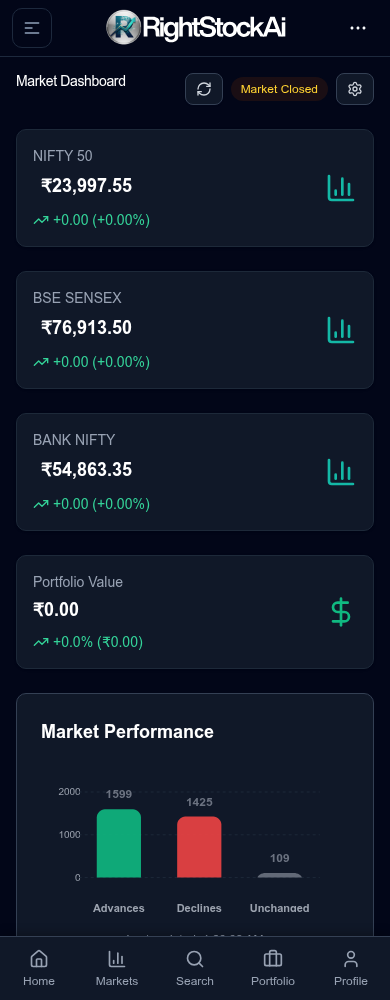 Mobile view with stacked market cards and bottom navigation.
On mobile, the layout is simplified:
- Bottom navigation gives fast access to Home, Markets, Search, Portfolio, and Profile.
- Menu button opens the wider app menu.
- Cards stack vertically so market data remains readable.
- Search is usually the fastest way to open a stock or research tool.
Main Areas
Dashboard
Use the dashboard for a quick market read: index values, market breadth, active-volume stocks, gainers, and losers.
Start here when you do not yet know which stock to research.
Stocks
Use stock pages when you want to inspect one company more closely. A stock page may include price context, charts, company details, news, and links into analysis tools.
Use this area when you already know the company name or symbol.
Analysis Tools
Use analysis tools when you want a structured report. RightStockAI includes traditional analysis, AI-assisted analysis, smart blended analysis, chart-pattern research, and research report views.
Use this area when your goal is a report rather than browsing market movement.
Research & Picks
Use research and picks pages when you want curated ideas, recent research reports, or shortlist-style views. These pages are research aids, not automatic trading instructions.
Portfolio
Use portfolio tools to track holdings, understand exposure, and review performance. Portfolio research is most useful after you add your actual holdings.
Watchlist
Use watchlists for stocks you want to monitor before taking action. A watchlist is useful for ideas, alerts, and follow-up research.
Learn & Support
Use the help center when you want product guidance, investing concepts, AI limitations, troubleshooting, or support contact options.
Navigation Map by Task
| Task | Start here |
|---|---|
| Check market direction | Dashboard or Markets |
| Search one company | Search bar or Stocks |
| Run a full report | Analysis Tools |
| Browse saved or shared research | Research & Picks |
| Review holdings | Portfolio |
| Monitor ideas | Watchlist |
| Understand a term | Learn & Support |
| Resolve access or sign-in issue | Help or Contact Support |
Fastest Ways to Move Around
- Use search when you know the stock or tool name.
- Use the dashboard when you want a market overview first.
- Use Analysis Tools when you already know you want a report.
- Use Portfolio or Watchlist when you are reviewing stocks you already follow.
- Use Learn & Support when a term, result, or locked feature is unclear.
Locked or Limited Tools
Some tools may show a lock, plan message, or usage message. That means the tool is not currently available for your account level or you have reached your current usage allowance.
When that happens:
- Read the message shown on the page.
- Open the live pricing page for current plan details.
- Contact support if you believe the tool should be available to you.
Desktop vs Mobile Habits
Desktop is better for:
- Comparing more than one report.
- Reading wider tables.
- Reviewing charts.
- Uploading portfolio files.
Mobile is better for:
- Quick market checks.
- Opening a saved report.
- Searching a stock quickly.
- Reviewing watchlist ideas.
If a chart or table feels cramped on mobile, use desktop for that task.
Navigation Tips
- Keep stock research and portfolio review separate. A strong stock report does not automatically mean it fits your portfolio.
- Check the report date or last update time before relying on a result.
- Compare more than one research view when the decision matters.
- Use watchlists for ideas you are not ready to add to a portfolio.